
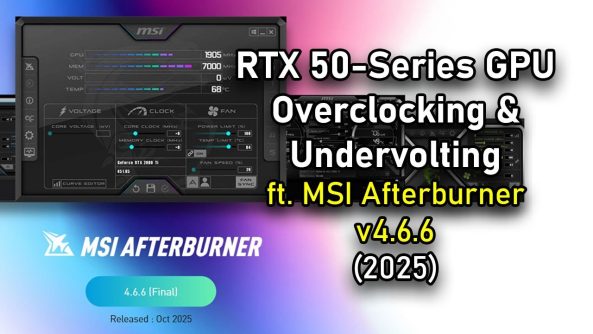
Awesome Tips RTX 50 GPU Overclocking & Undervolting Guide ft. @Luckyn00bOC with MSI Afterburner (2025) | MSI
#nvidia #rtx5060ti #rtx5070ti #msi #overclocking #undervolting
Here’s a quick guide to tuning (overclocking and undervolting) NVIDIA RTX 50-series GPUs using the MSI Afterburner tool.
#nvidia #rtx5060ti #rtx5070ti #msi #overclocking #undervolting
Here’s a quick guide to tuning (overclocking and undervolting) NVIDIA RTX 50-series GPUs using the MSI Afterburner tool.
==5-hour LIVE step-by-step version, visit the following link:
==Undervolt : Is it Safe For Daily ?
==Also read: MSI Afterburner Guide on the MSI website at the following link:
==DOWNLOAD TOOL (Updated – October 2025)
MSI Afterburner:
MSI Kombustor:
====Timestamp:
00:00 Opening
01:44 GPU Overview & Test PC Spec
03:39 MSI Afterburner(v4.6.6), Kombustor and RTSS
05:30 MSI Afterburner GUI Overview
06:01 Simple Power Limit Tuning & Core Voltage
07:10 Manual GPU Overclocking
09:40 VRAM Overclocking
10:15 Stability Test, Saving Profile
11:40 VF CURVE EDITOR (+ Voltage-Frequency Lock)
14:14 Undervolt & Power Limit
15:26 Undervolt with VF CURVE
16:38 Undervolt Strategy 1: Same Clock, Lower Voltage
19:06 Undervolt Strategy 2: Lower Clock, MUCH Lower Voltage
20:55 ..even LOWER Voltage
22:01 [RTX 5060 Ti SETTINGS SUMMARY]
24:18 Apply at Windows Startup?
24:54 Tuning [OC & UV] MSI RTX 5070 Ti
27:33 [RTX 5070 Ti SETTINGS SUMMARY]
30:16 Gaming Test [Black Myth Wukong 4K]
31:16 Gen AI Test [Image Generation & LLM]
31:45 General Tuning Tips, Conclusion
—————————————————————-
Follow us to get the latest news!
► TikTok:
► Facebook:
► Twitter:
► Instagram:
Deals for Days. Big home savings are happening now.
is this under-volting applicable on the 40 series too?
The out of sync background video gave me cancer.
Great vid. Never knew about pressing L twice to target and lock, I always would highlight all point above my target V and drag the curve down and apply.
Hello there!