
Awesome Tips Cool Tech Under $50 for Your Setup!
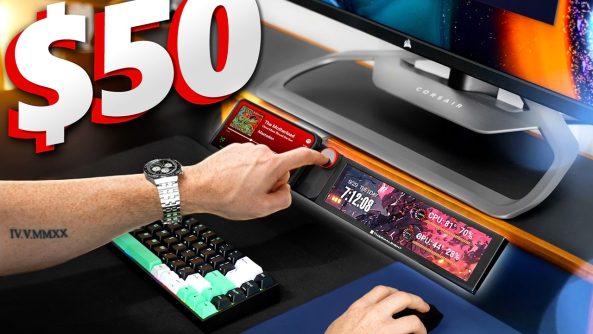
This episode of Cool Tech Under $50 is for your setup and taking it to the next level without breaking the bank! Check out all the tech listed below:
• Razer Reclusa X Mini 65%:
• Pulsar eS PD170 Mousepad:
• ULANZI CW15 Wireless Charger:
• Thermalright Trofeo Vision:
• FLYDIGI VADER 5S Controller:
This episode of Cool Tech Under $50 is for your setup and taking it to the next level without breaking the bank! Check out all the tech listed below:
• Razer Reclusa X Mini 65%:
• Pulsar eS PD170 Mousepad:
• ULANZI CW15 Wireless Charger:
• Thermalright Trofeo Vision:
• FLYDIGI VADER 5S Controller:
FTC Disclosure: As an Amazon Associate I earn from qualifying purchases.
00:00 Cool Tech Under $50
00:42 Razer Reclusa X Mini 65% Keyboard
03:29 Pulsar eS PD170 Mousepad
05:39 Ulanzi CW15 Wireless Charger
07:27 Trofeo Vision LCD screen
09:49 Flydigi VADER 5S Controller
• Join our Discord!
• Join this channel to buy me a coffee:
• Sign up for Amazon Prime for FREE!
My Setup Gear!
My Camera Gear:
• BlackMagic URSA Mini Pro Camera:
• BMPCC 6k Camera:
• Sigma 18-35 Lens:
• Sigma 50mm:
• Manfrotto Tripod & Head:
• Sennheiser MKH416 Mic:
Music: Esbe –
Music: EpidemicSound –
Deals for Days. Big home savings are happening now.


I would never rough that in a video with a second monitor, i would still prefer a mouse pad, but that Pulsar one looks so good
Frank I love the videos, keep em coming. Also let me get that mini pc LED Screen. I need it for my setup.
My favorite item on here is the Thermaltake monitor. And the reason I really like it is I’ve been saving up for some cosmetic upgrade to my system to go with my Xenomorph vs Yautja theme but I hit a huge hiccup when I got let go from my job of 21 years the other day.
avoid the thermalright monitor. I'm on my third changed on rma now because of the issues regarding screen flickering
Maybe the first video ever that I liked all of the products. Might have to get that keyboard for work though
That XBOX controller looks awesome! I've been looking for a replacement controller on my PC, as one of the buttons on mine broken while playing Forza Horizon 6, and its just not the same trying to play on KB/M haha.
How do you mount the screen under a monitor?
I have a Vader 4 and love adjustable joysticks for different games. Interesting to see if the Vader 5S is a meaningful upgrade!
That controller was honestly the first miss for theese episodes.
Cant speak for the skate game, but if you're racing you don't really have time to adjust never mind the learning curve – thats coming from an iRacing player (real sim).
I'd just get a normal wireless xbox controller and train your fine motor skills.
The mousepad quality for that price point is nuts. That last controller is rlly crazy too would make racing games so much more playable
That Vader controller is OP. Great content like always.
That joystick would be cool for MSFS 2020 or 2024 actually!
That Flydigi Vader 5s looks impressive. Hope I can win it and play with it. 10:09
The 50$ Razer Keyboard is my fav
Cool that the screen can mount under the monitor. Just trying to keep things off the desk to make the setup look clean.
5:21 I watch all my youtube videos on 2.5x speed. I definitely need that mousepad.
Need thats controller for my new pc setup . Would love the addition ❤
Aluminum is not magnetic
aluminum is not magnetic lol
That screen is crazy
Magnets don't stick to aluminum there hoss. Has to be a ferrous metal which aluminum is not.
Razer Reclusa X Mini