
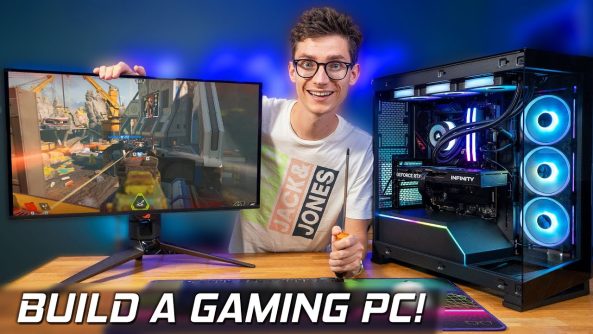
Awesome Tips How To Build A Gaming PC! 🤗 COMPLETE STEP BY STEP Beginners Build Guide!
How To Build A Gaming PC! This 2025 beginners guide walks you through everything step by step that you can follow along for your first time building a gaming computer! Clear, easy to follow and a great PC Build! ⭐ Buy PC Parts From Overclockers UK: (AD)
How To Build A Gaming PC! This 2025 beginners guide walks you through everything step by step that you can follow along for your first time building a gaming computer! Clear, easy to follow and a great PC Build! ⭐ Buy PC Parts From Overclockers UK: (AD)
🎮 Join The PC Centric Discord!
🛒 Product Affiliate Links* 🛒
Ryzen 9700X CPU:
Arctic Freezer 36 Air Cooler:
Corsair Liquid Cooler:
Corsair DDR5 RAM:
Asus B650E Motherboard:
Samsung 990 Pro SSD:
RTX 5060 Ti Graphics Card:
Phanteks NV5 Case:
Corsair Power Supply:
Corsair LX Case Fans:
📺 Our 4K QD-OLED Gaming Monitor:
🎮 My Personal PC Gaming Setup on Amazon Storefront:
⭐USA:
⭐UK:
(*When you buy through an affiliate link, PC Centric may receive a commission on the sale – as an Amazon Associate I earn from qualifying purchases)
Products provided out for review without direction or payment from the manufacturer for inclusion in this video.
Follow @PcCentric on Twitter
Add PC Centric on Instagram:
Like PC Centric on Facebook!
—
Music from: Epidemic Sound: (Affiliate)
—
All images used in this video are used in good spirit, and are believed to be ‘fair use’. If you feel an example of your work has been wrongly published, please contact [email protected].
PC Centric is a participant in the Amazon EU Associates Programme, Amazon Services LLC Associates and Amazon CA Associates, affiliate advertising programmes designed to provide a means for sites to earn advertising fees by advertising and linking to Amazon.co.uk, Amazon.com & Amazon.ca and other global Amazon Stores
00:00 How To Build A PC!
02:12 What Tools You Need
03:32 Case / Motherboard Sizes
05:31 Motherboards/BIOS Flashing
06:42 Choosing A CPU
08:05 Air Cooler vs Liquid Coolers
09:31 Storage / SSDs
10:45 How Much RAM?
11:36 Graphics Card Options
13:29 Choosing a Power Supply
14:51 Choosing Fans
16:46 Motherboard Overview
22:02 PC Building STARTS
22:54 CPU Installation
24:32 RAM and SSD Installation
27:43 How to connect the cables to the motherboard
32:48 Installing An Air Cooler
40:30 Installing A Liquid Cooler
43:03 Case Overview
45:44 Motherboard Installation
48:23 Case Fan Installation
50:58 Connecting The Case Cables
52:43 Installing the Radiator
55:45 Graphics Card Installation
59:14 Wiring The Fans
01:01:08 Power Supply Installation
01:09:27 Cable Management
01:10:15 Booting The PC
01:13:48 Change THESE BIOS Settings
Deals for Days. Big home savings are happening now.

Holy timing, building my first PC next week
Thanks for the info!!
Just built mine with a RTX 3060 Ti with a AMD Ryzen 7 9800X3D And 32 gigs of ddr5 ram. 😀 This vid helped me out a whole lot thanks
Would of needed this last week 😭
I’m in the middle of mine I already have ssd and the psu, the gpu is here soon and I have the case, windows 11, ram, and motherboard left which will be 1-3 weeks and I should finish before October!
can you connect your pc with a network cable aswell instead of wifi and wouldnt that be faster?
Does anyone have advice on whats better for single player AAA games 4k oled monitor or a 1440p oled ultra wide
Absolutely love the channel & so glad to see an updated pc build video! Your first one walked me through my first build lol. I do question the 5060ti pick over the 9060xt. I do get that the 5060ti is SLIGHTLY faster but for the price difference man what a GPU (I’m slightly biased as the 9060xt 16gb is my GPU) But definitely love the video & all your content!
Am I being thick but why does graphics card you have show 3 fans but one via link has 2 fans?
Would like to see a video of what software you prefer to use on a gaming pc. I have MSI Center controlling most things including 9800x3d. Fan curve is set and controlled via BIOS. Nvidia App and Afterburner for my 4080 Super. Not sure if this is ‘best’ or Optimal since I only built my first PC the end of last year.
Remember guys, mesh tower and vertical alimentation with 3 intake fan at the bottom.
Pro tip: if it don’t fit, it’s not going to. A lot of cables and headers on the Mobo are specifically designed for only one connector, and they’re all relatively different, the exception being stuff like fan headers and sata ports. So don’t force any components 😁
Wouldn't the NZXT H7 Flow be a better case for a first time builder?
EVERYTHING SET UP APART FROM BIOS…but very nice video
Please I want to buy one of these can you give me a choice
MSI Vector 16 HX AI A2XWIG-033IT, Notebook Gaming, 16" QHD+ 240Hz, Intel Core Ultra 9 275HX, Nvidia RTX 5080 16GB GDDR7, 32GB DDR5 6400MHz, 1TB PCIe4, WiFi7, Win 11 Home
And…
ASUS ROG Strix G16 (2025) con Display da 16" a 165Hz, NVIDIA GeForce RTX 5070 Ti 12GB, AMD Ryzen™ 9 8940HX, 32GB di RAM, 2TB SSD, Win 11 Home
Building mine tomorrow. Wish me luck
Literally started buying the parts for my first pc build yesterday. Already got good deals for the PSU and RAM. This video came at the perfect time.
I miss Ebuyer😢 we need the real Ebuyer back.. whos with me?
I've built 4 so far but I still watch these videos in case something new comes along and also there's a certain 'zen' it gives me.
Thanks for the video!
i just ordered my first gaming PC the Refurbished (Excellent) – MSI Gaming Desktop PC, AEGIS R2, Intel Core i7-14700F, 64GB DDR5 4TB SSD, NVIDIA GeForce RTX 4060, Windows 11 Home, Wi-Fi 6E, Black was on sale for 1700 Canadian 1280 US funny thing is i do not game except for solitaire , Yatzee and other card games , I do tons of researching things and watch alot of utube I also LOVE watching Movies and browse on Amazon I also have the 43 inch M7 samsung monitor the Kanto Ora4 speakers and SU8 sub i can't wait till they arrive i am debating on whether to get a 48 inch LG C5 Oled for this set up What are your thoughts ? and also what do you think of the PC did i do ok ? i am not very techy LOL again bless you and be well and be safe cheers from Vulcan Canada
Do NOT buy any graphics card lower than a 5070ti or a 9070xt ever ! just do not waste your money !
I’m having issues
I just 6 finished building my first computer. It works! Thanks for your help. I took my time. Took some breaks. And got it all together.
Nobody says something about power consumption 😂
OverclockersUK and scan need a good competitor like microcentre, I really want to see microcentre in the uk 1:42
What about the REAR EXHAUST FAN …????????????????
So is the ryzen 7 9800x3D better then the ryzen 9 9950x?
18:41 this is what your mother would look like🤣 W video
I’m actually about to build a new pc with my brother next weekend
Perfect timing building my new pc rn!
This came at the right time, I am planning on building my pc by black friday, hoping for some good deals!
I'm building a PC for the first time on in a few days, this is realliy informative so thank you:)
this is literally the most perfect timing ive ever had. im building my first pc today. wish me luck yall.
A significant percentage of titles will exceed 8gb vram, even at only 1080p, if all graphical options are at max (eg global illumination in UE5 games). 12gb is the new minimum, really.
Timely video, thank you very much sir.
You should of explained a bit more how to position the CPU, with the triangle being on top left corner 🙂
I'm playing on building a PC as well, but buying components from my country is extremely difficult and expensive since I have to buy from another country! I have to save up big money just to get a PC that's like 1k, I want to move from consoles, wish me luck on my savings 😂
That motherboard is $275.99 in the USA through Newegg.
Thanks for your great video, I’m planing on building my first ever gaming pc by the end of the year, will start buying parts in October-November.
1:01:12 you’ll be surprised by the lack of how to videos that show how to setup the power supply!!