
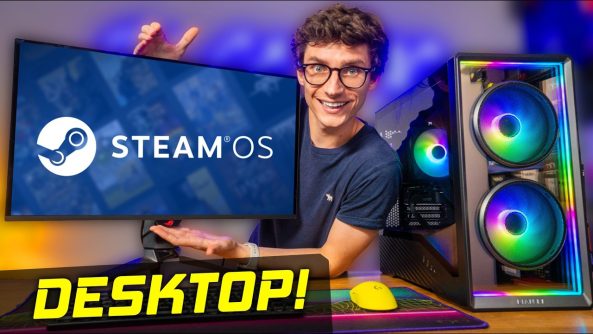
Awesome Tips Switching From Windows To Steam OS!
SteamOS on DESKTOP?! Just how usable is Steam OS on your gaming PC as an actual computer, and how to install EA, Ubisoft connect on Steam OS gaming pc build, with PC Centric, Steam OS vs Windows 11!
SteamOS on DESKTOP?! Just how usable is Steam OS on your gaming PC as an actual computer, and how to install EA, Ubisoft connect on Steam OS gaming pc build, with PC Centric, Steam OS vs Windows 11!
🎮 Join The PC Centric Discord!
🛒 Product Affiliate Links* 🛒
RX 9060 XT 16GB:
Intel Core Ultra 5 250K:
32GB Corsair Vengeance RAM:
Crucial P310 1TB SSD:
ASUS TUF B860M Motherboard:
(Alternative Motherboard with Bios flashback)
— GIGABYTE B860M EAGLE V2:
be quiet! Pure Power 12 650W PSU:
Lian Li Vector V150 INF Case:
be quiet! Pure Rock Pro 3 Cooler:
📺 Our 4K QD-OLED Gaming Monitor:
🎮 My Personal PC Gaming Setup on Amazon Storefront:
⭐USA:
⭐UK:
(*When you buy through an affiliate link, PC Centric may receive a commission on the sale – as an Amazon Associate I earn from qualifying purchases)
Products provided out for review without direction or payment from the manufacturer for inclusion in this video.
Follow @PcCentric on Twitter
Add PC Centric on Instagram:
Like PC Centric on Facebook!
—
Music from: Epidemic Sound: (Affiliate)
—
All images used in this video are used in good spirit, and are believed to be ‘fair use’. If you feel an example of your work has been wrongly published, please contact [email protected].
PC Centric is a participant in the Amazon EU Associates Programme, Amazon Services LLC Associates and Amazon CA Associates, affiliate advertising programmes designed to provide a means for sites to earn advertising fees by advertising and linking to Amazon.co.uk, Amazon.com & Amazon.ca and other global Amazon Stores
00:00 SteamOS Desktop Mode
03:07 A Familiar Look
06:41 Discover (The App Store?)
09:22 How To Play Games Outside Of Steam
16:34 Getting EA Launcher/Games Working
21:19 Walkthrough For Ubisoft Connect Installation
25:48 RGB Still Works!
27:02 Is It Worth Switching Yet?
Deals for Days. Big home savings are happening now.


Full Parts List!
RX 9060 XT 16GB: https://geni.us/eIuxe
Intel Core Ultra 5 250K: https://geni.us/vYp75
32GB Corsair Vengeance RAM: https://geni.us/UYe0k4b
Crucial P310 1TB SSD: https://geni.us/4dBu3Oa
ASUS TUF B860M Motherboard: https://geni.us/waOiY
(Alternative Motherboard with Bios flashback)
— GIGABYTE B860M EAGLE V2: https://geni.us/3AAFa
be quiet! Pure Power 12 650W PSU: https://geni.us/gzwiFQK
Lian Li Vector V150 INF Case: https://geni.us/DO1d
be quiet! Pure Rock Pro 3 Cooler: https://geni.us/TDL09I
Affiliate*
Can Someone Please make an OS that can simulate all Windows programs(every single one), not track you, and be 100% stable with zero issues, and also have better audio DAW integrations and stabilities that rival MAC's?
Do not support Ubisoft, they have horrible game servers and they usually have not done game engine optimizations properly in the last 15 years at least…
@pcCentric: next video topic suggestion: Test "Remote Play" to SteamOS host using various clients and non-matching resolutions. 👍
At 22:22 you can see in the context menu the option "Add to Steam". I'd guess it's save you a lot of time and hassle to use it.
Whats about Microsoft Office or Photoshop? There is no way for me to take the alternative Apps from linux.
It’s not as good tbh. My gpu drivers didn’t get updated and my ram wouldn’t run higher than 4800mhz on steam os.
Watching this is making doing the full conversion, dood. It's very tempting.
Try a Linux switch on an old laptop 🤙
Where did yopu downloaded the steamos?
if they want widespread steam os adoption they will have to get the anti cheat problem fixed and make sure that the vast majority of games and launchers work on it as i would really love to use it without having to dual boot or another pc entirely. also dual monitor support needs work as it doesnt do so well with mixed refresh rates or mixed resolutions. steam machine almost irrelevant they should of just fully went into competing against windows instead of trying to take console market share. or xbox make there game mode a direct competitor to steam os big picture with the performance savings we might be in a highly competitive software age consumers might be in for some gold
Isn’t SteamOS immutable? Meaning anything you install gets wiped with the next update?
20:34 Someone correct me if I’m wrong, but I believe scaling filter -> sharp is the SteamOS FSR, right?
Omg Populus :O I love that game
WINE IS NOT AN EMULATOR!!!!
Wine Is Not an Emulator = WINE
I added Nested Desktop to non-steam games, so i could easily use the desktop from gaming mode, which is how I am watching this video.
Stream OS 🤮
Nicely done.
Wine isn't "like Proton" … Proton is a fork off of Wine with some other tools. Wine is where it started, and they are still very much hand in hand together. Changes for Proton are often put in Wine, and things from Wine are taken into Proton.
Also, you really shouldn't be playing games in Desktop mode unless it has some multiapp integration or with web browsers and stuff… otherwise, just install things in Desktop, then add it to Game Mode.
Not being able to play all the games that steam sells on your own steam os is kinda crazy! Only thing holding me back.
great your not an expert. we get that. stop apologizing for it. I was getting tire of it and almost passed you by. I'm 61 and don't have much time to spare. You got a lot of good info in the tank. thankfully you finally got to it.
If you want more ideas for videos, you should get into: GOverlay, Feral Gamemode, Gamescope, and OptiScaler.
You can make profiles for each game, upscale older games, cap framerates, turn on post processing settings, use DLSS on AMD and Intel GPUs, force FSR4 on older games… all kinds of magic!
Ok, no, don't do that for EA and Uplay, download Faugus Launcher, significantly easier setup, you literally pick them from a list, so long as EA App hasn't broken recently (it tends to do so) you should have no problems with them
For anyone that wants to get more into this, here's a couple of things that were a bit… imprecise in the video:
-MacOS doesn't use Unix. Like Linux, it's based on Unix. Unix was an extremely expensive corporate, and academic, operating system that was a nightmare to deal with because of legal issues. To avoid all that stuff, GNU/Linux and MacOS made their own versions.
-SteamOS is not called Arch, but it's a downstream distribution of Arch Linux.
-Red Hat was mentioned, but it's not really related. It's owned by IBM, and the operating system is called Red Hat Enterprise Linux (RHEL), and is basically a rock solid version of Linux for huge corporations that need something ultra stable that will never break.
-Fedora is the community-driven "test bed" for Red Hat, and is the best Linux distro for home desktop users. Gaming distros like Bazzite and Nobara are based on Fedora.
-Not all apps in the "app store" are free. Usually there are free versions to download, but you may have to pay to keep using them after a while.
-Wine is not only similar to Proton, Valve built Proton on top of Wine. Wine wasn't made to handle fast paced games, so Valve made Proton to help Wine handle games. W.I.N.E. stands for "Wine Is Not an Emulator".
-Flatpak was designed to work with all different flavors of Linux so devs didn't have to make all the different packages that the various distros use. Flatpak bundles the app and every single file it needs to run inside a secure, isolated container. That means it won't break easily, but won't interact with other systems as well. Like dragging and dropping files into Discord won't work without changing permissions.
-Personally I would recommend GE-Proton since GE adds things to it that Valve can't do because of legal reasons. GE is the man behind Nobara as well. His day job is working for Red Hat.
Just wanted to clarify a few things. I'll find my way out now!
what do we do for updates and stuff do we have to contanstly check up on the community to figure out how to install the new update whould i hvae to back suff up to a drive before update?
Только Windows!
i can play league of legends in Steam OS?
Load of faff. Sticking with Windows because it's better and everything just works. Also, Windows can use both and / in file paths, and has supported that for many years.
One of the reasons why I went back to Windows was that Lian Li connect didnt work on it no matter what I did , and after spending £500 on fans I didn't want to loose that control 😛
Not that something if it had anticheat and everything worked , I will switch
is there a way to have desktop applications running while in the Steam OS mode, for example could i have discord open and go into it while i am playing a game on the non desktop mode?
I'm on CachyOS. Some notes on ubisoft connect:
if you use a network dns (like nextdns), chances are ubisoft connect won't open until you disable that dns service. so please disable it.
Edit: One more thing. If you're on CachyOS, set PROTON_ENABLE_WAYLAND=0 in the launch options
Should I expect a massive performance boost with my 12900K+4090 if I move to SteamOS? Im mostly.playing steam games and one gatcha game (non steam)
thank you for the information. i was wondering if SteamOS even had a desktop mode to use. if it did not have a desktop mode i would not have even considered SteamOS for myself.
Hi Game centric, Do you use the Steam OS on your PC now full-time? Do you find it beneficial?
Is RT performance still worse on Linux? Used to be last time i checked, around 6 months ago.
This seems very confusing?