
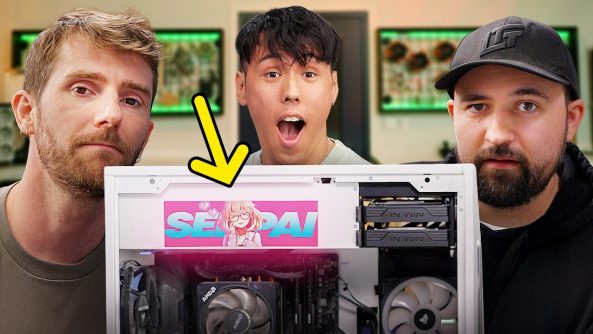
Awesome Tips Fixing My Employee’s PC
Thanks to Micro Center for sponsoring this video! Shop Micro Center’s Back to School Sale:
Thanks to Micro Center for sponsoring this video! Shop Micro Center’s Back to School Sale:
Affirm Now Available at Micro Center:
Thanks to MSI for sponsoring this video! Check out their MAG 272QP QD-OLED X50 Monitor at
Conor told us the Steam Average PC ran better than his home rig, a PC with a Ryzen 7 5800X3D and an RTX 3080 Ti. That CAN’T be right, so he brought it in for us to take a look at and hopefully fix.
Discuss on the forum:
► GET OUR MERCH:
► GET EXCLUSIVE CONTENT ON FLOATPLANE:
► GET A VPN:
► SPONSORS, AFFILIATES, AND PARTNERS:
Purchases made through some store links may provide some compensation to Linus Media Group. Affiliate links powered in part by
Linus Sebastian is an investor in Framework Computer, Inc
CHAPTERS
—————————————————
0:00 Intro
1:26 Conor
3:27 Physical Inspection
6:00 Thermal Check
7:55 Checking BIOS Settings
9:10 Bloatware
10:12 Check Storage
11:26 There’s Your Problem
14:35 Run Updates
16:45 Extra Steps
18:10 Is It Fixed?
20:46 Outro
Deals for Days. Big home savings are happening now.

Stop recommending the stupid nvidia bloat… Besides giving nvidia data , it also impacts performance …
3200MT/s is 1600mhz? (1mhz = 2MT/s For DDR4/DDR SDRAM, 1mhz = 1MT/s for SDRAM)
Anyone else distracted from the braces!
İt might be the hdd.
Some of modern games stutter when its installed on hdd
judjing by the sticker Type 'H' in the search bar (*/ω\*)
Honestly, the little twerks and tweaks in editing and presentation uplidt the experience by at least 50% for me. I love you guys❤❤❤
21:04 Linus, waifu sticker when? I'd definitly also pay for it!
15:31 Hold up, didn't Windows 11 have bad AMD performance on versions BEFORE 24H2 ?
Maybe you should do those Windows updates after all!
Dude I’m having the same and some other similar issues… sadly my XMP is already enabled so that’s not it
That Borg segue was futile to resist
8:13 Fun fact. MSI BIOSes looked a lot better before Zen 3. Motherboard manufacturers weren’t ready for AMD supporting these platforms for this long and their BIOS chips were too small. They had to give up many graphical elements and on-board diagnostics in order to fit microcodes for all of the AM4 CPUs.
Some manufacturers like AsRock simply removed CPU support for like Athlon chips.
10:25 that’s not always okay! It depends on what drive it is. Some drives drastically slow down when filled up, especially on writes and random read-write operations. Your tip of leaving 10% of the drive free is extremely valid in some cases. Newer drives, especially these with DRAM cache shouldn’t experience much of a slow down.
Tell micro center to open up shop in the MOA
Why does Linus have braces?
>windows is updated
>big ass update literally in the middle of the screen
💀
"I followed Linus's guide!" – well, that's where they went wrong, obviously. They'll have been hooking their PC up to your pool and various other shenanigans.
(And yes, I'm joking.)
Hmm, so the cause was slow RAM configuration
But why would it stutter tho?
I imagine slow RAM just means lower average FPS
I'm going to guess…motherboard BIOS update required! Now to see if I was right
18:08 my PSU had a poping sound and it smelled strange, it still works but when i shut it down i pull the plug on it so it doesnt explode while im not there 😂 i might have to switch it out at some point lol
Dbrand should sponsor all LTT videos until Linus takes off his braces.
Whhhhhhhat those diamond grills??!?!?!
Please do a series with this, i love these kind of troubleshoot videos
iam %90 sure Above 4g Decoding and re-size bar is disable. if you have amd system you have enable it. then no more suttering and at least %25 performance boost. if xmp off its mean re-size bar for sure disable
omg linus daddy
I recently exorcised my PC and it was one hell of a battle! My PC won't properly wake up from sleep, happens before and a simple turning off and on the display and it's fixed, but this doesn't work one day, and now off and on the PC, nothing, wouldn't POST. Debug LED is lit, it's the graphics card, so I resit the graphics card and sure enough it's fix. Happens again, won't POST and now resiting graphics card failed to fix. So I resit everything, sometime it works and sometime it doesn't works. Update everything, repair everything, reset BIOS, reflash BIOS, still the same. I gave up, ran out of ideas and stop fixing, just on and off, on and off and on and off and suddenly it POST. Now this is where it gets really weird. I realised that keep turning on and off won't work but if I wait for a long time to pass then turn on, it will POST. THIS PC IS CURSED! One good deal for a second hand graphics card later, that I needed anyway, and it's still the same problem. Then just crashes for some reason, everything except for fans in BIOS is on default setting just like before all of this saga, so WTF? Well good thing I know crashes got to do with the RAM frequency and sure enough, no more crashes ever since one RAM frequency changed from auto to 2933.
I don't think bro updated very well and he hardly looked at bio settings.. You should definitely always check the motherboards official page for updates can be completely thorough with bio settings
"Don't type 'p' in the search bar." Or check his "homework" folder. 😉 📁
15:24 We can’t just overlook the 23H2 update, can we? This came out in 2023 and has since been succeeded by 24H2
Ive always had problems with the boxed cooler of the 5600x, this is the little bit better one with the RGB does it cool better then the 5600x wraith one?
A shame that xmp worked immediatly i was hoping it would revert and they could show us how to fix that problem 🙁
Cause this was just lazyness
9:45 if you look at startupapps in the task manager, it gives you more detail (and would've likely led you to find "Program")
Wait, he's still on 22h2?
Once every around 6 months, my pc will randomly power cycle for about 3 days with increased frequency and then just be fine again for another around 6 months.
Theres no apparent cause, and it could happen any time from 3 seconds of having my pc on to 3 hours.
I have straight up no idea what this is, anyone else ever experienced such weirdness?
20:00 as a matter of fact, I did
Not me pausing this video every so often and checking a setting on my laptop!
my task manager n file explorer takes a long time to load. what could be the issue? 😭
14:55 really the nvidia app? the app that sucks performance out of your gpu?
As a former Best Buy employee, Iove how hard Microcenter is advertising. Corrie Barrie does not understand why people shopped at Best Buy, and if no one makes her understand Microcenter will eat Best Buy's lunch.
They should have also checked if Rebar was on
I would have definitely checked the storage media for potential issues. It's not difficult and frankly storage issues are not uncommon even with SSD's. DDR4 3200? Sure much better with XMP enabled but a proper kit of DDR4 3600 with proper EXPO settings would be even better. I'm sure LTT has a kit available to at least test. UEFI Firmware perhaps needs updating also? Not really mentioned 🙂🤷♂️
Why is he running off an SSD instead of an NVME? Would be much much faster lol. And dude, that is waaaaaaaaaaaaaaayyyyy to many startup programs. Most if not all of that could be turned off. Half the problem will be those background apps checking for updates/gathering telemetry etc in the background. Also failed to check things like gpu scheduling/hardware acceleration, turning on optimizations for windows games and turning off core isolation to prevent slowdowns as it's known to cause them, especially when gaming. I could probably double the speed of that thing just with those few things and quadruple it just by adding an NVME as the main drive instead of the SSD. Even a crappy NVME will be 3 times faster.
As a weeb I want a pc like this but I am a closest weeb so no it it not possible:(
@LinusTechTips
I can guarantee you the PC will run significantly faster, if you disconnect both HDDs from SATA interface altogether and only use SSDs with OS partition installed, as HDDs use generic drivers and slow down any SSD also connected to SATA interface.
If you need additional storage for your library of games or files not often used: It’s better to install an SSHD or connect an External HDD via USB, as USB interface runs parallel to SATA Interface on separate pcie lanes via southbridge chipset to CPU.
I would just reinstall Windows altogether and start from fresh.
He doesn't need a bunch of launchers in the first place and deleting them can leave stuff in the register. Also the "program" nobody knows what it is. Just start with a fresh OS
I mean…. This video was very mid. I'm sorry Linus.
0:47 that's your problem eft runs like #%^# unless you enable smooth motion but it has some weird effects sometimes.
Im guessing his thermal paste evaporated inside his gpu
Just recently my super ultra awesome mega epic gaming PC started showing frame jolts.
All the while my frames were saying otherwise. I tried everything!
Turns out having Discord open was causing my frame jolt issue all along.
So heads up, gamers! It may not be a only me problem.
"Have AM4 CPU"
"Get worried"
"Reboot -> BIOS"
"XMP turned off"
"Feel unbearable shame"
"Turn on XMP"
"2400 -> 3600mhz"
"Feel good and so bad at the same time"
had system since Jan 2022… end of AM4 lifecycle. In my defense, I dont have these stutters and stuff… I play "lighter games" generally, not Tarkov.
mhz is NOT mt/s, how can you give me tech tips with theese mistakes
Wise to check XMP, sometimes PCs reset it by themselves.