
Awesome Tips How I’m Starting a New Smart Home from Scratch!
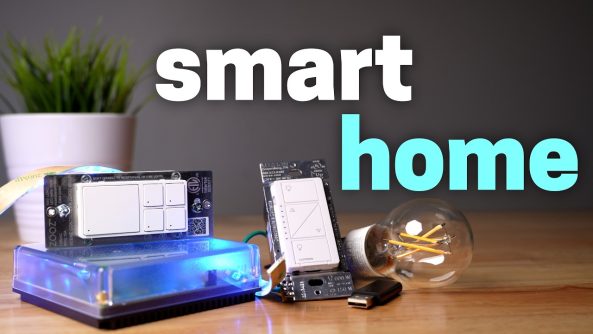
I’m starting over on my smart home! So let me show you how to get up and running the right way. This has helpful tips for beginners and experts!
I’m starting over on my smart home! So let me show you how to get up and running the right way. This has helpful tips for beginners and experts!
How to set up Home Assistant step-by-step:
*Links in chronological order*
UniFi Pro XG 10 PoE:
UniFi U7 Pro XG:
UniFi U7 Mesh:
UniFi 2.5 Gig switch:
Affordable TP-Link mesh system:
Home Assistant Green on AmeriDroid:
Home Assistant Green on Amazon:
Zooz 800 series light switch with buttons:
Zigbee/Z-Wave USB stick:
Lutron dimmer switch:
(affiliate)
My smart home favorites:
My smart home shirts!
USA:
International:
FOLLOW ME
Subscribe to Smart Home Solver:
Subscribe to Reed’s Smart Home:
Twitter:
Instagram:
TikTok:
0:00 Intro
0:18 Solid foundation
2:51 Picking a system
4:03 Adding devices
7:51 Create scenes first
8:49 Create automations
13:25 Keep it reliable
14:26 Revenge
———
MUSIC
Digifunk by DivKid
All of the music throughout is by Nihilore.
Ending song is The End by EVA.
Deals for Days. Big home savings are happening now.


I'm glad I finally got my smart home started up again! 🙌
Here's my other video about how to set up Home Assistant: https://youtu.be/Z4gvkmJ8q48?si=4jYzFpmBOsr4WEnF
For the buttons just make labels man… For you it is very intuitive but anyone that doesn't live there will have an awful time.
7:37 interesting. I get the logic but apply it a bit differently: anything critical that I cannot connect via lan, I go with WiFi (eg presence sensors, some climate sensors I am dependent on). For anything non critical: zigbee. I found using zigbee for anything critical (eg presence sensors) quite a desaster..
Oh, finally Z-Wave 🤩 I’m switching almost all my Zigbee devices to Zwave.
For people that are just getting started with the whole SMART HOME stuff and don’t want to tinker with Home Assistant, I would suggest Aqara. Their stuff is cheap, reliable and can later be used in Home Assistant if you choose to switch.
I am not confident in my ability to establish the “solid foundation” portion of this video (setting up 10G switch, proper wiring of various hubs/APs, etc.) anyone know of a helpful video or guide that covers best practices? Most of my home products are Ring, Phillips Hue (w/ bridge), Kasa, ecobee
Nice video Reed!
Are you running home assistant off of HA green/raspberry pi for your entire house?
As a guy who lives in Finland, it is so weird to me that ceiling fans still exist is US
One product line I use and works great with home assistant is Yolink. You need the hub but after that certain sensors and devices are rock solid. Door sensors, temperature sensors, power failure alarm, leak sensors, vibration sensors, garage door sensor/opener and smart door lock have all been great for the last few years. Some of the door sensors have not needed the batteries replaced since I installed them at the end of 2021.
Can’t consider lamps in your room with fans.
Screw home assistant!!! I highly doubt I will never go back to home assistant. It’s still only for nerds.
Man, I couldn’t stand those black spider fans. I would have to swap them out for white fans with lights.😅
Why do US power points and light switches still have ugly screws visible on the front panel? In Australia we have clip on covers that cover the screw fixings underneath. They look so much better.
12:39 how did you connect the computer to homeassistant?
There are budget UniFi options like the UDR 7. I got one on sale for $229 and set up a relatives house with a G6 Instant camera, SuperLink, door sensors, and water leak sensors for about $750. 😅
Home Assistant FTW!!
Those mesh devices get really hot in cupboards. Had one myself and it was fried because there was no airflow.
What hardware do you recommend for HA? Green? I have a HA on blue if anyone remembers that relic and its starting to show its age.
This video made me upset a little lol. You're smart home is too perfect, I love my hodgepodge smart home that has mostly Wi-Fi devices and if I ever rebuilt it I probably would go with mostly the same stuff, maybe switching out, most of, the brands for something that's more locally controllable. But honestly most of the stuff can be popped into Home Assistant locally and just requires a vendor account to use the app that needs to be used to get it online first. Even then I would find a proven matter over Wi-Fi light switch so that it would be easy for a much less techsavy next owner of the home to connect and use. Also I do run a Zigbee network on Home Assistant with ZHA, and it's extremely reliable except for sometimes when Home Assistant core restarts, where the underlying Linux installation on the Raspberry Pi 5 that I run it on seems to lose the dongle. This issue is 99% of the time fixed by shutting down the Pi from the UI, then manually unplugging power from it, waiting a minute, and plugging it back in. But because of how much it happens, I'm considering moving away from Zigbee for anything critical and back to Wi-Fi. I don't really want to do that because in the location that I would begin that process in I used to have a Wi-Fi bulb that wasn't working right there, and I put a Philips Hue Zigbee bulb in that works fine. It's really weird that that bulb didn't work well, it was a Tp-Link Kasa LB100 by the way, and it mostly works fine in the location that it's now in. plus that area should have good Wi-Fi, I know I can see three bars on my phone when I'm there and it's a room away from our main Tp-Link deco node, though I know that it's like right in between two nodes and the amount of bars shown does not mean everything.
Quick question….why didn't you use matter devices?
I love your videos, I see in the end ???? Blue one ???
1:14 I’ve recently finished a project where we have used TP-Link Omada which is also quite reasonably priced. We have more than 600 Aqara Zigbee and matter devices across a 10,000 sqf villa with tons of prefab concrete walls and it works just fine. You definitely don’t need to spend premium for ubiquiti gear
your doors should make the star-trek sound
Reed you really should think about redoing your home assistant video they’ve relabeled different things in home assistant.
1:56 two access points for the whole house I'm so jealous my house is entirely concrete and steel. It needs an AP in almost every room
i cant believe you moved again that was such a nice house.